
- A new Microsoft Recommended Search Settings app can switch a browser’s default search engine to Bing their default search engine.
- The app prompts users to install Microsoft’s Bing extension, which asks for broad browser permissions.
- Users can still decline the change, but Bing is preselected and Microsoft promotes Rewards after setup.
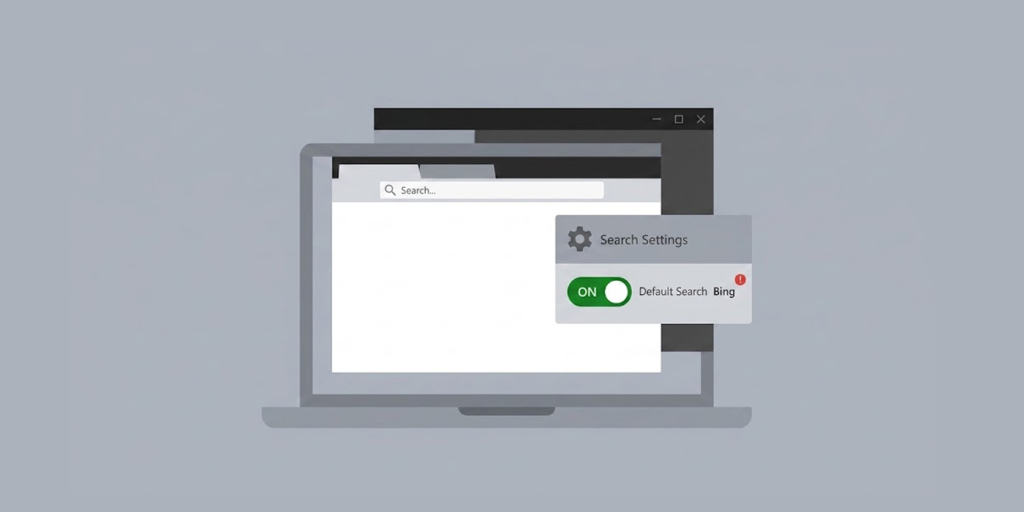
Microsoft has introduced a dedicated Windows 11 application designed to promote the Bing search engine across multiple browsers. The application is called “Microsoft Recommended Search Settings”. The move is drawing attention because the tool is not simply a search setting. It installs a browser extension to make the change.
Windows Latest found the app and tested it on a PC running Chrome and Brave. Based on the report, Microsoft currently hosts the 22.2 MB-sized MicrosoftSettings.exe file on its own download servers. But the app doesn’t appear to be distributed via Windows Update or the Microsoft Store.
How the New Bing App Works
The app makes its purpose clear during setup. It asks whether users want to set Bing as their search engine. The answer is already set to “Yes.” But users can change the choice before continuing, so the tool does not silently take over the browser.
After users click “Accept and continue,” the setup finishes within a few steps. If the user accepts the setup, the app prompts them to install Microsoft’s Bing extension. The extension then changes the browser’s search and homepage settings. This makes the tool different from a normal Windows setting. Microsoft is using a separate app to guide users toward a browser change.
Clicking “Finish” then opens a Microsoft Rewards page in Edge. The page offers users a path into Microsoft’s rewards program after they switch to Bing. The final screen says, “You’re all set!”
Windows Latest tested the app with Chrome and Brave already using other search engines. The tool prompted for the installation of Microsoft Bing Homepage & Search for Chrome.
The Extension is an Official Microsoft Product
The browser extension itself is not new. It predates the new Windows app. Microsoft has offered the Bing Homepage & Search extension for years. The Chrome Web Store lists Microsoft Corporation as the extension’s developer. The extension boasts 5 million users, with 3.8 stars rating from 110 reviews.
The extension’s job is simply to make Bing the default homepage and search engine. It also adds Bing features, such as quick searches and daily homepage content.
The new part is the dedicated Windows installer. Instead of asking users to find and download the extension by themselves, Microsoft now offers a dedicated app for the process.
That distinction matters. Available evidence does not show the app secretly installing Bing or changing the browser without user action. Users must accept the setup and approve the browser extension.
Still, the default choice favors Microsoft. The Bing option starts in the “Yes” position, which can make the intended outcome easy to miss.
The Permissions Raise Questions
Chrome warns that the Bing extension can read and change data on all websites. It can also show notifications and change the homepage, search settings and startup page.
Those permissions sound alarming because they give an extension wide access inside the browser. But permission scope alone does not prove that Microsoft is stealing browsing data.
Microsoft’s Chrome Web Store listing says the company does not collect or use user data through the extension. It also says it doesn’t sell user data to third parties, outside approved use cases.
Firefox has a separate Microsoft Bing add-on. Mozilla’s listing says it changes the homepage and search engine. It also says the add-on sends limited anonymous information about the add-on, browser, and operating system during installation, updates, and activation.
That makes the permissions worth noting, but it does not support claims that the tool is malware.
Microsoft recently removed 119 malicious Edge extensions disguised as ad blockers, VPNs, and video downloaders. With up to 2.6 million installs, they hid malicious code in images and fonts to steal credentials, browser cookies, and commit ad fraud.
Chrome and Microsoft Clash Over the Default
The interesting part of this update appeared after Chrome detected the Bing extension. Chrome added a prompt asking users if they want to switch back to Google. In response, Microsoft displayed its own message below Chrome’s prompt. The message reads: “Wait, don’t change it back!”
The Microsoft message warned that changing back would turn off the Bing extension. It also pointed users toward keeping Bing enabled.
The scene highlights a wider battle between Microsoft and Google over browser defaults. Microsoft has used similar prompts before. Windows Latest reported a comparable Bing and Chrome pop-up fight in 2024.
This time, Microsoft has gone further by packaging its Bing push into a dedicated Windows application.
What this Means for Windows Users
For users who want Bing, the app offers a quick way to set it across supported browsers. Microsoft Rewards can also give Bing users an extra reason to keep using the service.
For everyone else, the app is easy to decline. It is not a required Windows component, and the reported installer does not arrive through Windows Update.
Still, the approach may frustrate users who picked Google, Brave Search, or another search engine on purpose. Browser settings are a matter of personal preference, and people want their preferences to be respected.
The reason behind Microsoft’s decision to design a specific app for Windows for this purpose is unclear. There hasn’t been any comment from the company on whether it will further develop this application.
At this stage, one thing that stands out clearly is that Microsoft wants Bing to be easily installed but difficult to overlook.