
- Google automated security tools accidentally flagged hundreds of healthy websites as dangerous malware sources and locked their account dashboards.
- The owners of the disabled sites cannot access their controls, while some blogs completely disappeared after the crash due to shortcomings in layout scripts.
- Google acknowledged the problem from the technical side and is aiming at solving the issue, as affected users have to ask Google to unblock their access.
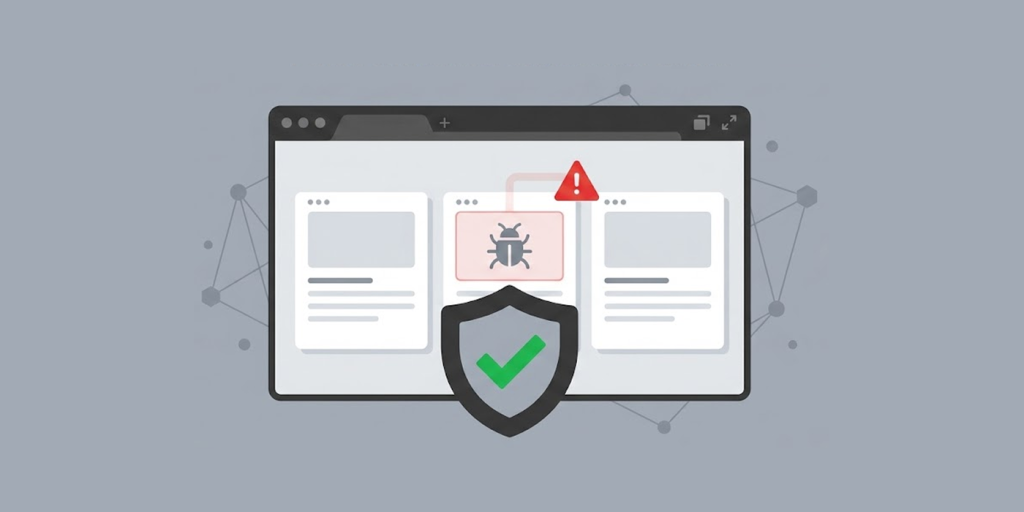
Google recently experienced a major technical glitch across its popular publishing service. The automated scanners mistakenly identified clean websites as dangerous digital threats. Hundreds of online writers woke up to find their pages completely hidden from public view.
The system flagged these personal sites for breaking platform security rules against software infections. These websites actually carried no harmful scripts or bad code whatsoever. Some site owners even saw their long-running publishing pages vanish from the web entirely.
Stressed-out creators quickly made their way to official user message boards to ask for urgent technical assistance. The tech volunteer support team noticed that the same complaints flooded in at once.
How the Automated Scanner Error Locks Site Dashboards
The unexpected disturbance started early in the week when automated safety tools began scanning hosted blogs. These automated computer programs look for hidden web viruses and dangerous code scripts. Unfortunately, the safety tool made a massive mistake during its daily checks. The system incorrectly marked safe personal blogs as dangerous sources of computer software infections.
Automated security tools are increasingly challenged by AI-powered threats, cybercriminals are using generative AI to craft more convincing phishing emails, making stolen login credentials even more valuable on underground markets.
Consequently, affected creators faced immediate restrictions when trying to open their online accounts. When publishers logged into their main account control screens, they saw a massive red lock icon. A clear warning message informed site owners that Google restricted their blogs for violating safety policies.
Furthermore, the automated notice told creators that they had three months to request an official review. If owners failed to file a review request before the ninety-day deadline expired, the system threatened to delete their blogs forever.
While the lock remained active, content creators lost complete control over their websites. The control panel blocked access to crucial administrative buttons. Publishers could not post new articles, edit old text, adjust site settings, or change visual themes. Even worse, visitors who tried to view these websites saw error screens instead of normal web pages.
Many panicked users posted their struggles on the official Google Help Community pages to find answers. Over three hundred users pressed the agreement button on the forum thread to show they shared the exact same problem.
Additionally, more than one hundred worried writers left comments asking for urgent assistance. A platform helper explained that automated tools clearly misclassified the websites on a scale never seen before.
The Widespread Impact on Blog Owners and Custom Templates
The sudden outage hit creators who rely on their blogs for daily income and audience reach. Specifically, many site owners stated that the lock happened right after they saved basic edits to their main pages.
Other writers noticed the security system triggered right after they updated their site design files or layout settings. Security research groups tracked these events as community complaints rapidly increased.
Community analysts suspect the automated scanner wrongly identified legal protective code inside third-party layout designs. Many free web design templates contain special lines of text to protect the original designer’s intellectual property.
The system algorithms likely mistook these normal protection scripts for malicious code designed to harm web visitors. Therefore, clean blogs using popular custom themes suddenly lost access without doing anything wrong.
The situation grew even more frustrating for several writers who tried to fix the issue. In some cases, the system restored a blog after an appeal, only to lock it again hours later. This repeated cycle left publishers feeling helpless and afraid of losing years of hard work.
While Google keeps exact platform figures private, outside web analytics tools show that nearly two hundred thousand active sites rely on this platform. A sudden error on this scale creates serious economic damage for small business owners.
If a website is unexpectedly offline, then the web owner encounters a great loss in terms of the traffic to the site, profits from advertising, and ranking by search engines. Consequently, site operators felt deeply stressed as they waited for engineers to fix the broken scanning algorithms.
Google Response and How Publishers Can Restore Their Accounts
Google eventually acknowledged the system failure after thousands of site managers raised concerns online. The tech giant confirmed that a software bug incorrectly marked healthy websites as software threats for less than a full day. Representatives stated that technical teams immediately began working on an internal fix to resolve the error as fast as possible.
Meanwhile, some affected bloggers are already seeing their websites return to normal operations after submitting an official appeal. However, owners whose sites remain locked must take active steps inside their management screens.
To begin the recovery process, publishers must sign in to their account dashboards and open the information section. Next, they need to click the review request button located right below the red lock notification.
If a creator manages multiple pages under one account, they should open the main side menu first. They must select the exact blog marked with an exclamation mark before sending the review form. Once a user submits the request, the blog enters a read-only state while staff members review the file manually.
Recovery times can vary significantly depending on how many appeals enter the processing queue. Some users regain site access in a few hours, while others must wait several business days.
Security advisors strongly encourage site owners to send their review requests immediately. Taking quick action prevents the system from reaching the three-month automatic deletion mark. Publishers should monitor their email inboxes daily for status updates from support agents.