

We use cookies. By using this site, you agree to the Privacy Policy and Terms of Use.
Accept
TechGeer Black Text Logo Light Header TechGeer Main Logo
  • News
    • AI News
    • Cybersecurity News
    • Streaming News
    • Tech News
  • Statistics
    • Entertainment
    • Gadgets and Hardware
    • Internet Security
    • Lifestyle
    • Marketing and Finance
    • Science
    • Web and Software
    • Workplace and Business
  • Streaming
  • Security
    • VPN
    • Spy
    • Antivirus
    • Torrenting
  • AI
  • About Us
    • Why Trust Us
    • Editorial Policy
    • Our Writers and Editors
    • Terms of Use
    • How We Make Money
    • Get in Touch
Reading: Microsoft Users Receive Unsolicited One-Time Passcodes in Suspected Large-Scale Account Probing
TechGeerTechGeer
Search
  • News
    • AI News
    • Cybersecurity News
    • Streaming News
    • Tech News
  • Statistics
    • Entertainment
    • Gadgets and Hardware
    • Internet Security
    • Lifestyle
    • Marketing and Finance
    • Science
    • Web and Software
    • Workplace and Business
  • Streaming
  • Security
    • VPN
    • Spy
    • Antivirus
    • Torrenting
  • AI
  • About Us
    • Why Trust Us
    • Editorial Policy
    • Our Writers and Editors
    • Terms of Use
    • How We Make Money
    • Get in Touch
Have an existing account? Sign In
Follow US
  • Terms of Use
  • Privacy Policy
© 2024 TechGeer.com. All Rights Reserved.
Home » News » Cybersecurity » Microsoft Users Receive Unsolicited One-Time Passcodes in Suspected Large-Scale Account Probing

Microsoft Users Receive Unsolicited One-Time Passcodes in Suspected Large-Scale Account Probing

TechGeer Desk
Last updated: May 18, 2026 10:11 pm
By TechGeer Desk - Senior Editorial Team
5 Min Read
Share
We conduct in-depth independent evaluations before making a recommendation. If you buy through links on our site, we may earn a fee that supports our mission.
  • Multiple users are reporting unsolicited Microsoft one-time passcode emails containing legitimate, working verification codes they never requested.
  • Threat actors are allegedly pulling email addresses from leaked databases to enumerate Microsoft-linked accounts at scale, likely preparing for future credential-stuffing attacks.
  • Microsoft users should ignore unexpected verification codes, update their passwords immediately, and enable two-factor authentication.
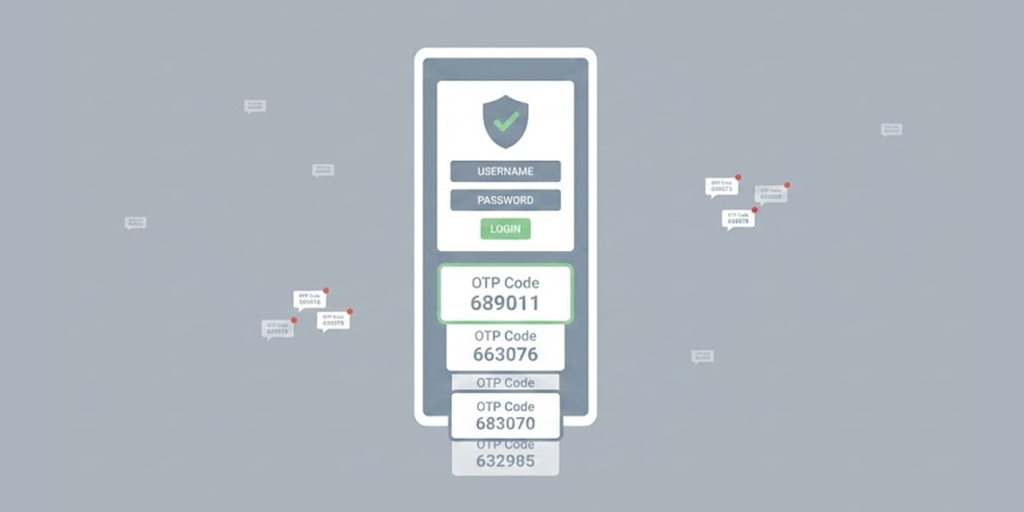
Microsoft Users Receive Unsolicited One-Time Passcodes in Suspected Large-Scale Account Probing

Unsolicited Microsoft one-time passcode emails are landing in inboxes, and the codes inside them are genuine. Multiple users have reported receiving legitimate Microsoft verification emails they never triggered, raising alarms about a coordinated account enumeration campaign currently running at scale.

The emails carry all the hallmarks of official Microsoft communications. They display a working one-time passcode, instruct recipients to enter it only on official Microsoft websites or apps, and include standard Microsoft privacy disclosures and corporate contact details. That legitimacy is precisely what makes the campaign dangerous.

In This Article
Leaked Databases are Fueling the Account SweepLegitimate Codes Make the Threat Harder to SpotWhat Users Need to Do Right Now

Leaked Databases are Fueling the Account Sweep

Threat actors are allegedly pulling email addresses from leaked databases and running them through Microsoft’s passwordless sign-in system in bulk. The objective is account enumeration: confirming which email addresses are actively linked to Microsoft accounts. When a valid address triggers a genuine OTP email from Microsoft, the attacker receives silent confirmation that the account exists.

The stolen logins from these and other database leaks are flooding criminal markets. AI is making phishing emails far more effective at capturing credentials that end up in these same underground marketplaces.

This technique requires no stolen passwords and no brute-force attempts. The attacker submits email addresses at volume to Microsoft’s sign-in flow, and Microsoft’s own system does the rest, sending real verification codes to real users as an unintentional acknowledgement. The attacker logs every address that generated a response and builds a verified list for later use.

Those confirmed accounts then become staging targets for credential-stuffing attacks, where attackers test username and password combinations harvested from previous breaches against the verified Microsoft accounts.

Legitimate Codes Make the Threat Harder to Spot

Traditional phishing campaigns typically rely on fake login pages or fabricated urgency to trick users. This campaign works differently. The emails contain real Microsoft-generated codes, which means they clear spam filters and look indistinguishable from genuine authentication requests.

Any user who receives one of these emails and enters the code anywhere hands an attacker direct access to their account. Even users who recognise the email as unsolicited may feel confused rather than alarmed, since the message clearly originates from Microsoft’s own infrastructure.

The campaign also creates a subtler problem. Inboxes flooded with legitimate-looking authentication emails can desensitise users over time, making it easier for a more targeted phishing attempt to slip through unnoticed at a later stage.

What Users Need to Do Right Now

Security experts advise treating any unsolicited verification code email as a red flag. Never enter a code you did not personally request. Receiving these emails suggests your address may be circulating in leaked databases.

Users should change their Microsoft account password immediately, particularly if they reuse the same password across multiple platforms. Enabling two-factor authentication adds a key layer of security beyond just an email address. Checking Microsoft account sign-in activity can help detect any unauthorized access attempts.

Microsoft has not issued a public statement on the reported wave of unsolicited OTP emails. The incident exposes a security gap in passwordless authentication, where safeguards can be misused for reconnaissance.

Account enumeration via legitimate login flows is not new, but the scale and coordination suggest deliberate preparation for a larger campaign. Review security settings, avoid password reuse, and treat any unexpected verification codes as suspicious.

Share This Article
Facebook LinkedIn Reddit Copy Link
ByTechGeer Desk
Senior Editorial Team
Follow:
We're tech enthusiasts with over a decade of experience in the digital landscape. With our background in computer science and a passion for emerging technologies, our desk brings a unique blend of technical knowledge and clear communication to TechGeer. When not decoding the latest AI breakthroughs or testing cutting-edge gadgets, you'll find many of us exploring the intersections of technology and society. Our work aims to make complex tech topics accessible to all, empowering readers to navigate our increasingly digital world with confidence.
Leave a Comment Leave a Comment

Leave a Reply Cancel reply

Your email address will not be published. Required fields are marked *

Related Articles

AI Makes Phishing Emails Far More Effective as Stolen Logins Flood Criminal Markets
Cybersecurity

AI Makes Phishing Emails Far More Effective as Stolen Logins Flood Criminal Markets

May 7, 2026
Italy Hands Over Suspected Chinese Hacker to US Authorities in COVID Research Theft Case
Cybersecurity

Italy Hands Over Suspected Chinese Hacker to US Authorities in COVID Research Theft Case

April 27, 2026
KelpDAO Hit by $300 Million Crypto Heist in Suspected Lazarus Group Attack
Cybersecurity

KelpDAO Hit by $300 Million Crypto Heist in Suspected Lazarus Group Attack

April 21, 2026
Cybersecurity

Cybersecurity Experts Warn After 657,000 BitMart User Emails Appear Online

April 20, 2026
TechGeer Black Text Logo Light Header TechGeer Main Logo

Discover the latest in tech at TechGeer.com: AI, software, VPNs, privacy, monitoring, gaming, streaming, and alternatives. Your go-to source for cutting-edge news and guides in the digital world.

Navigation

  • News
  • Statistics
  • Security and Privacy Guides
  • Monitoring
  • VPN
  • Torrenting
  • Streaming & Geoblocking
  • Software and Apps
  • Artificial Intelligence

Company

  • About Us
  • Why Trust Us
  • Editorial Policy
  • Disclaimer
  • How We Evaluate
  • Career
  • Contact

Follow Us

TechGeer Ltd
Office 1214 727 51
High Streat, East
London E72JA
United Kingdom

© 2024 TechGeer.com. All Rights Reserved.
  • Terms of Use
  • Privacy Policy
Welcome Back!

Sign in to your account

Username or Email Address
Password

Lost your password?

Not a member? Sign Up